Since I’ve been working with Lugi lately I’ve noticed how incredibly not flat his honeycomb is. Is there anything that can be done other than replace the bed? Mario has that problem in the back corner, but on Luigi there are many large spots that are significantly proud of the surface, in random locations, that are highly uneven. I’m new to lasers so there may be a best practice to avoid this being such an issue for my projects.
Thoughts? Complaints? Compliments? All are encouraged.
I feel like I have noticed this as well, but have not figured out how to fix it, if it is the source of my problems with engravings coming out weird in certain spots. Following in case it gets solved! I also acknowledge the neon clearish acrylic was the one this happened to the most, so it could just be my settings need tweaking too.
The bed can be flattened out somewhat by pressing down the high spots. You can check under the bed to make sure the aren’t any bits trapped underneath and pushing it upwards. If the bed is out of level left to right it can be fixed by manually turning the lift screws under the bed while the machine is off.
The honeycomb is technically a consumable and should really be replaced every once in a while when it gets too beat up.
I do not think the bed is damaged badly enough that it cannot be straightened. But it likely should be taken out of the machine to be straightened more effectively. Of course replacement would be easier.
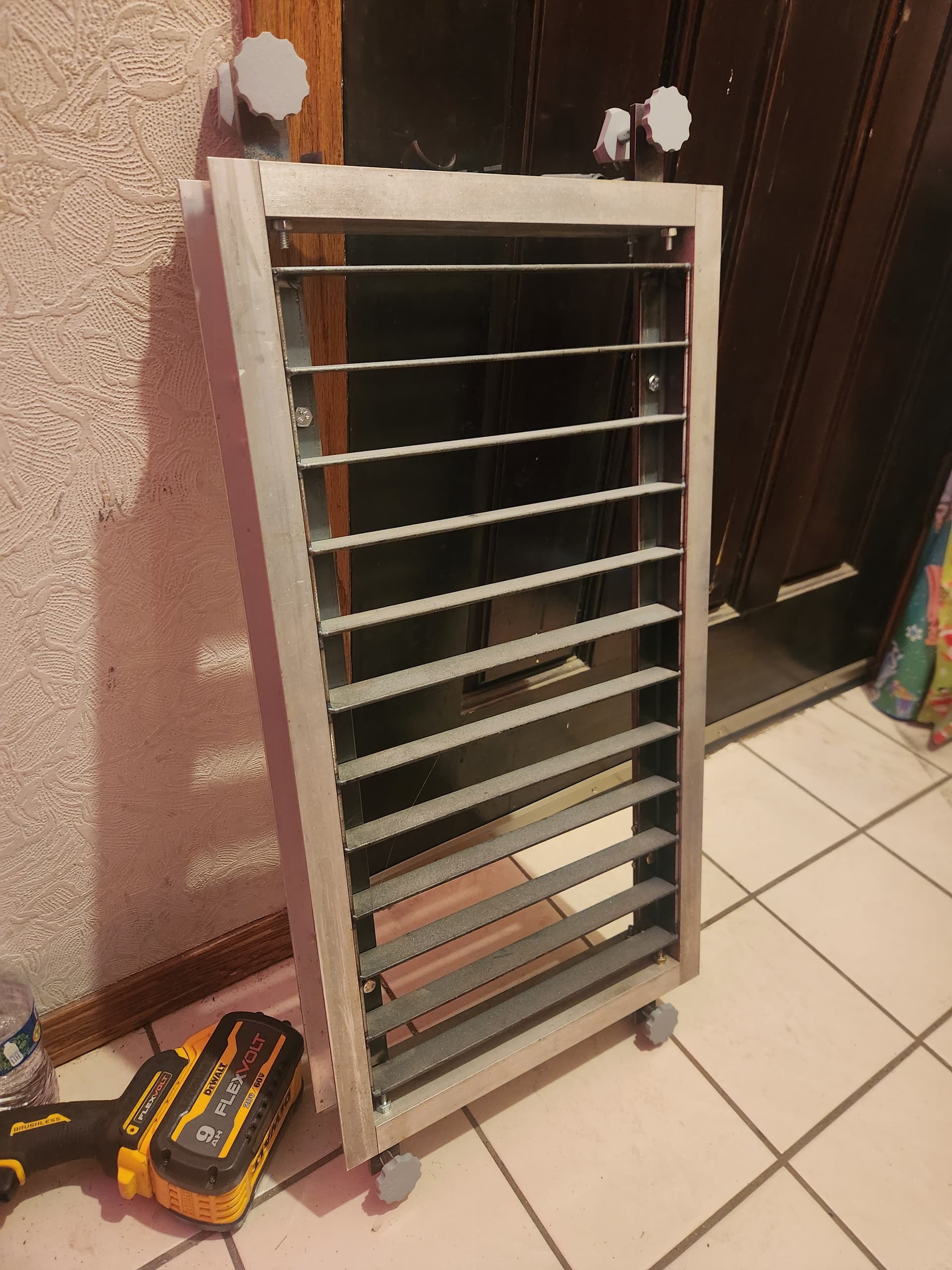
I have built what I guess I would call a sub bed that is absolutely flat that rests on the existing bed and can be leveled. It also allowed me to more easily clamp things down to it so they stay flat and don’t move. Obviously that’s not something that everybody will do but for the projects I used it on it was a lifesaver
I checked the bed this afternoon, and overall it’s pretty flat relative to the machine, but there are some high/low spots on the honeycomb that I wasn’t able to work on as someone came in, and I was already tired. They happen from all sorts of things. Worst part I noticed was in the back left corner. (Which is a good place for it.)
The best way to check if your piece is flat relative to it is to use one of the measurement blocks, around your object, especially the perimeter, and make sure it’s the same distance away.
Recently I fixed the alignment (mostly, I’m not going to call that perfect), as it was having some issues, which would have affected the engravings a lot more (Most likely situation is either a larger ‘spot’ or needing more cutting power.
We probably need to schedule a day where we do all the alignment/checking/deep cleaning/maintenance/flattening of the laser and parts.
Yeah I agree it’s not bad enough to need replaced. I wasn’t sure if you could flatten those high spots but since the actual shape of the honeycombs isn’t that important, I definitely think it could be taken out and flattened by the same hammer that whipped Mario back into shape.
Or whatever is more appropriate. Let me know when maintenance is planned and I will come help.
Sometimes a rfh, reasonable fing hammer, will do the trick. I was thinking that targeting the high spots directly might be more effective, since they are relatively small in area, but I have no idea. Could press between two boards with clamps maybe?
As far as technique goes, I didn’t recall that, rather than supporting all the way across depending on material, you can elevate the piece you are cutting using scrap or standoffs. I haven’t played with this yet, but looks like it’s the way a lot of people deal with it online.
I also realized that part of my problem while working on Luigi wasn’t the bed, but that I had done all my test settings before the laser was realigned.
I suspect that just clamping the whole bed between two flat surfaces would fall short of making it flat due to springback. Without sufficient support adjacent to the area being struck with a hammer, it’s possible you end up with the high spot lower but also a moat around it.