Hello
I am looking for some help figuring out what is wrong with my printer. I have an Ender 3 Neo printer at home, and it’s probably 2.5 yrs old at this point. Last winter I started having issues with uneven layer lines and parts breaking in thin spots post-print.
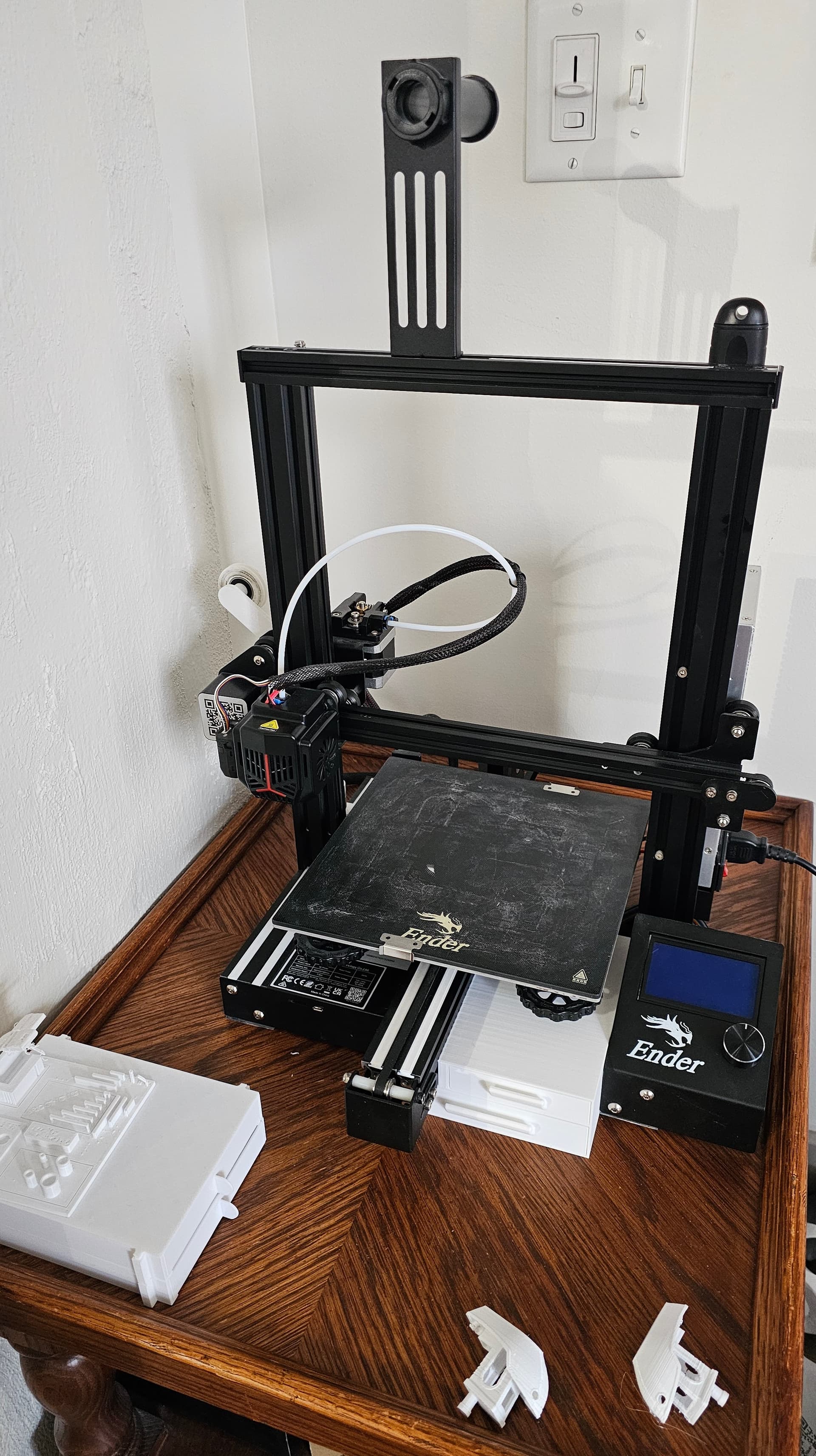
My printer has one z-axis screw/motor and a Bowden extruder, and I have upgraded the hot end with a bimetal heat break. I have a glass print bed, which is working just fine from what I can tell.
Pic of the printer below.
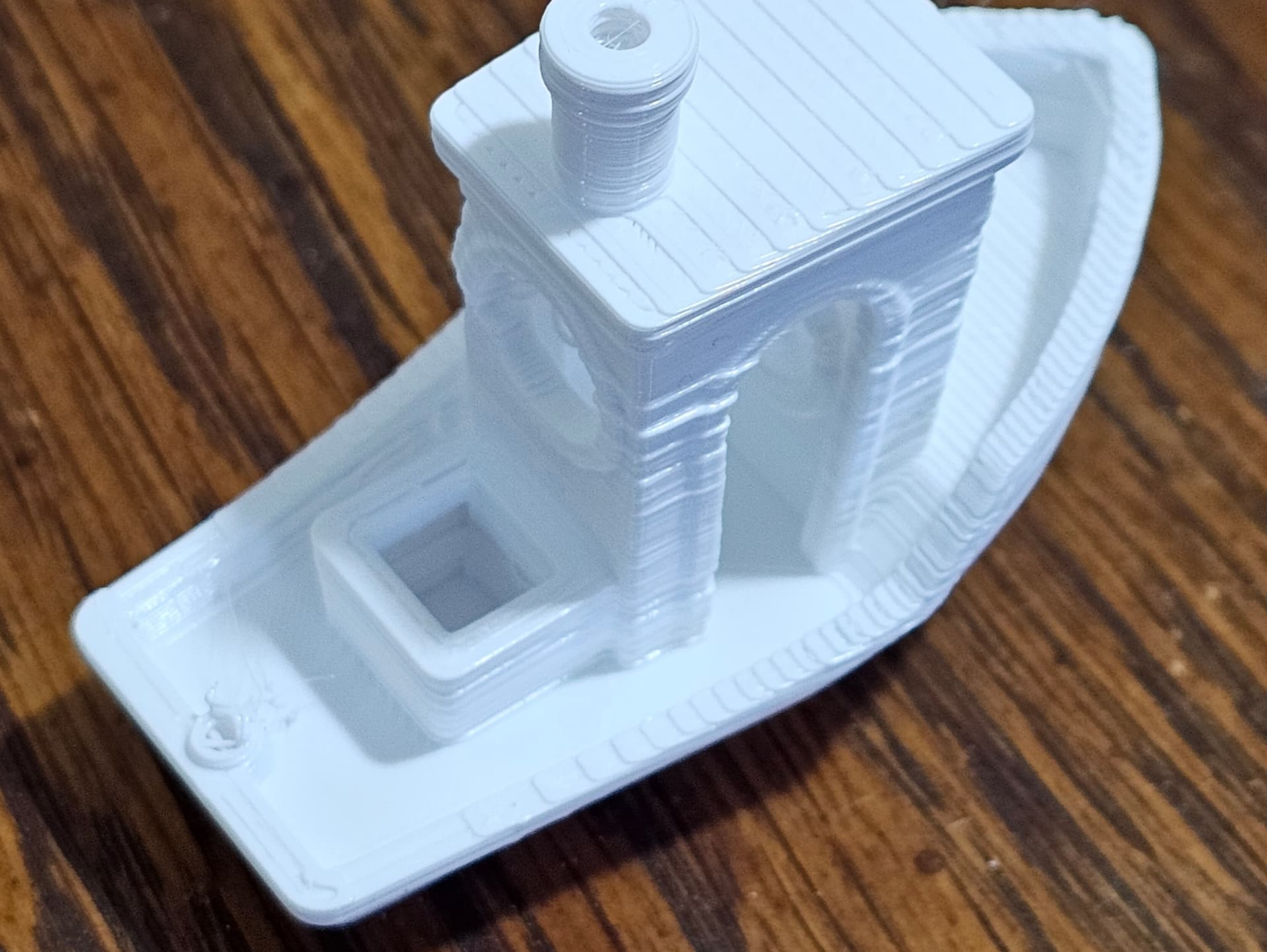
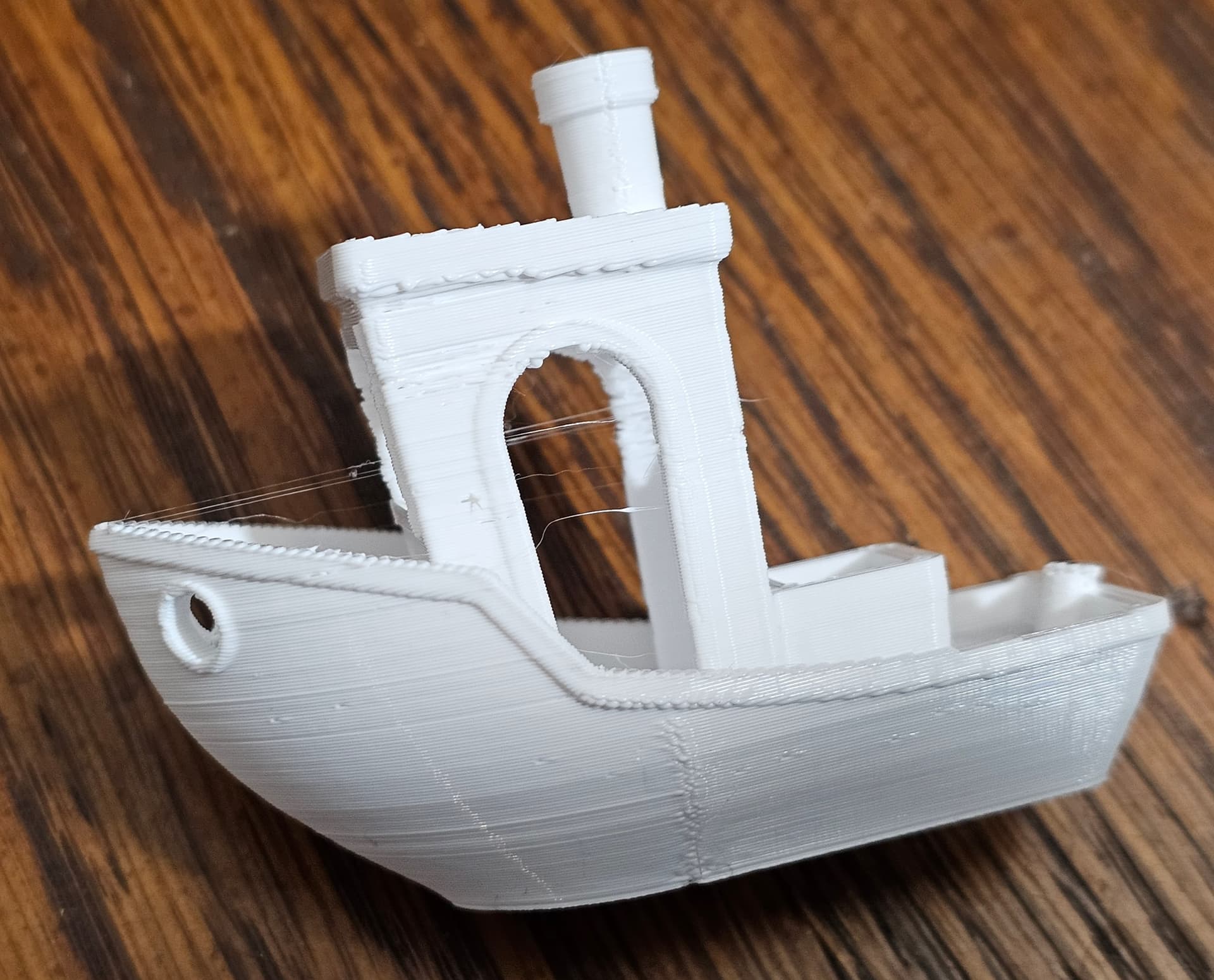
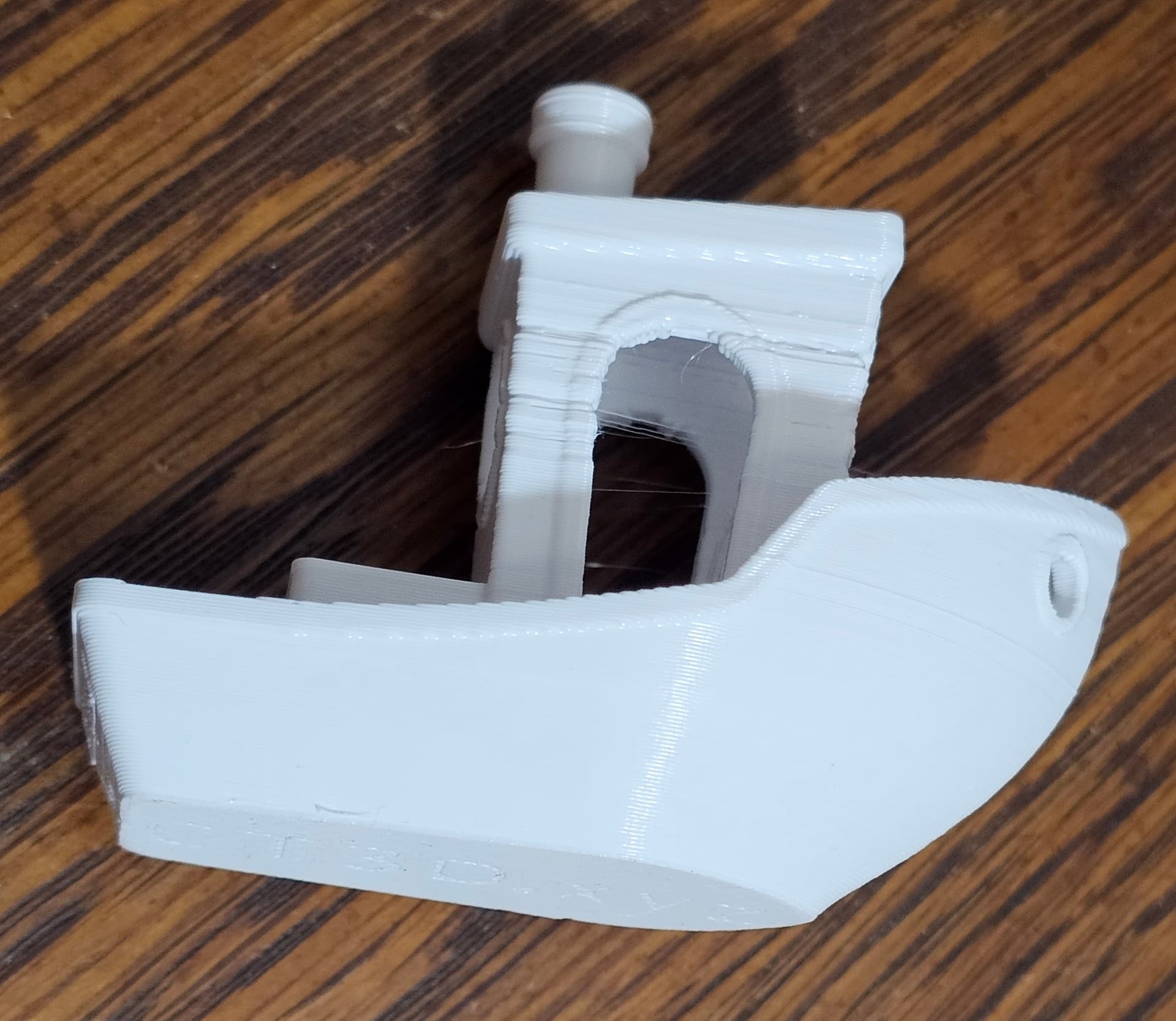
These are a Benchy I printed as a test with plain white PLA filament. The bottom half of the hull part of the boat is okay, but you can see some uneven lines as you go up. The worst is on the thin parts of the cabin, you can see how uneven the layers are.
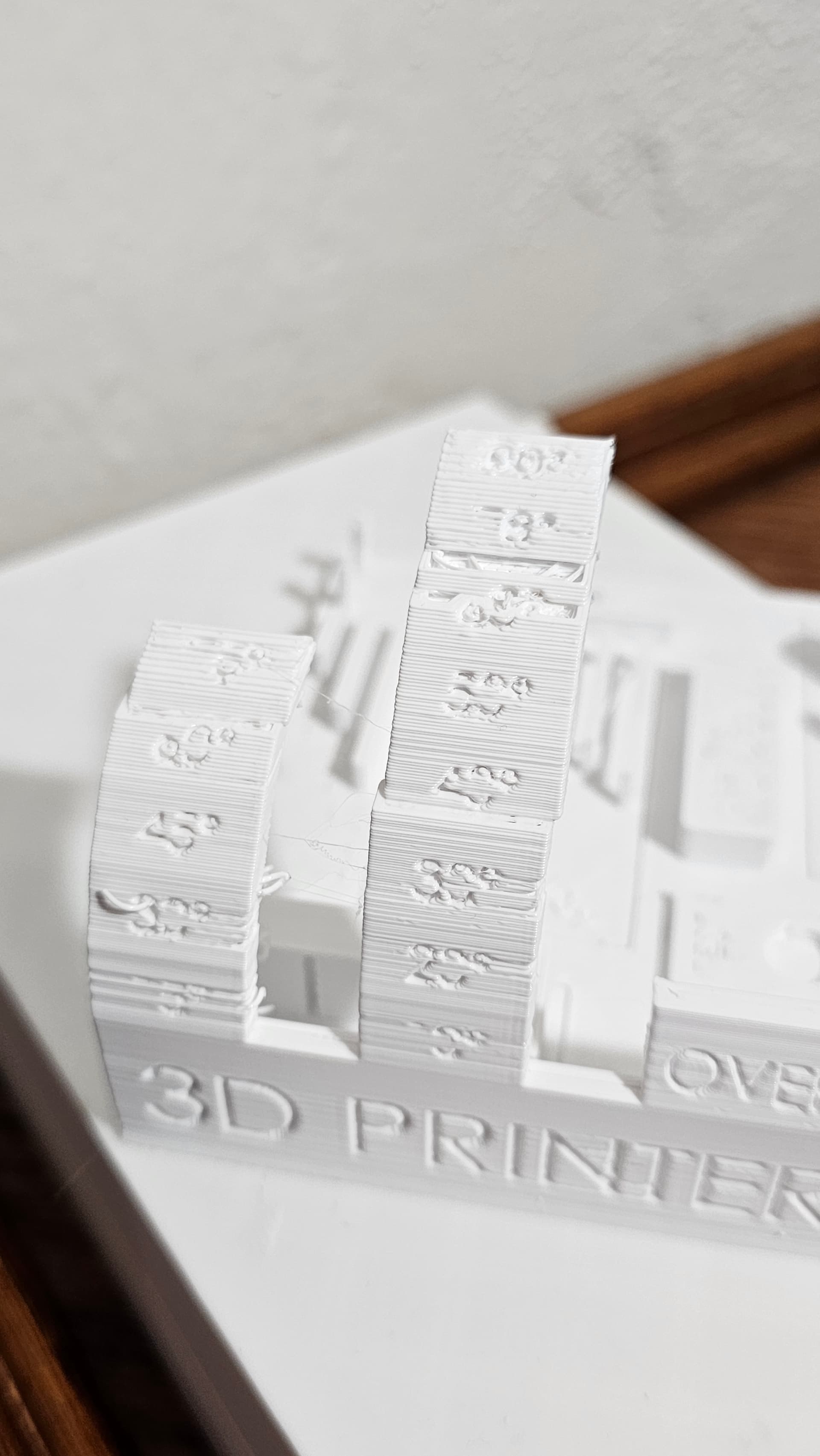
This is a printer test thing I tried printing, this picture shows the “overhang test” part of the print. The issue is most visible here. My printer was able to finish the print without this overhang portion breaking off, but it’s jagged and uneven and there are gaps.
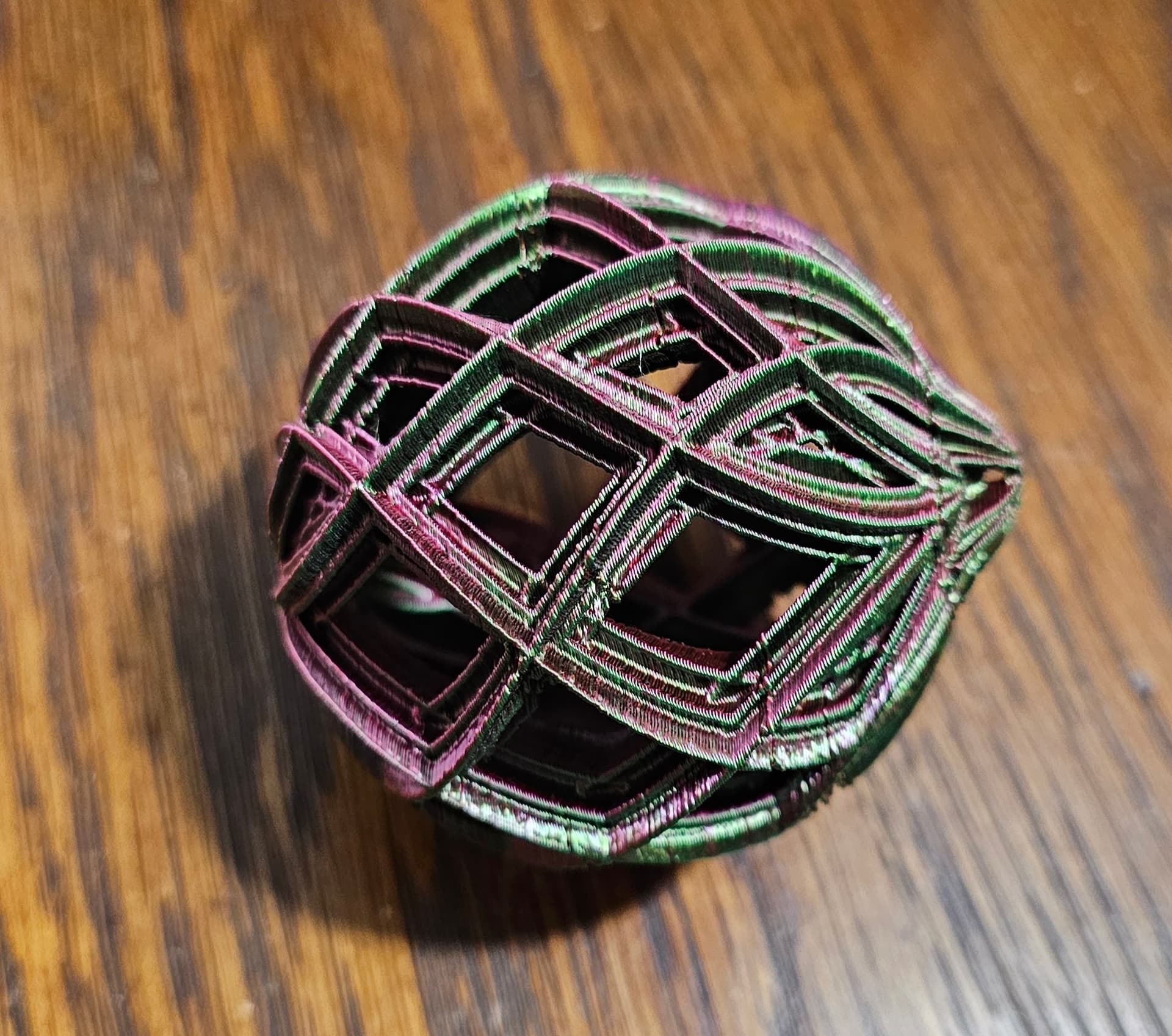
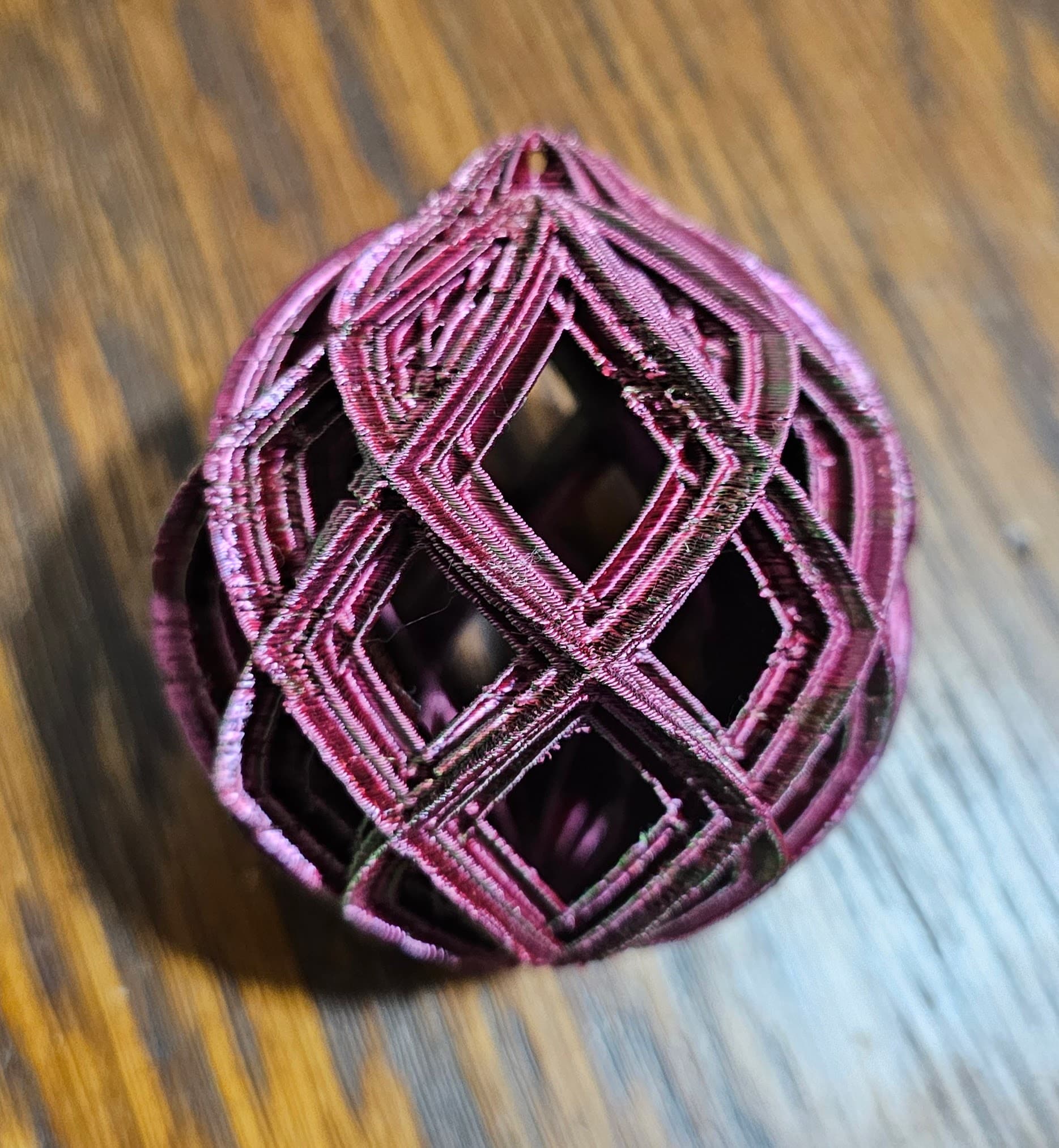
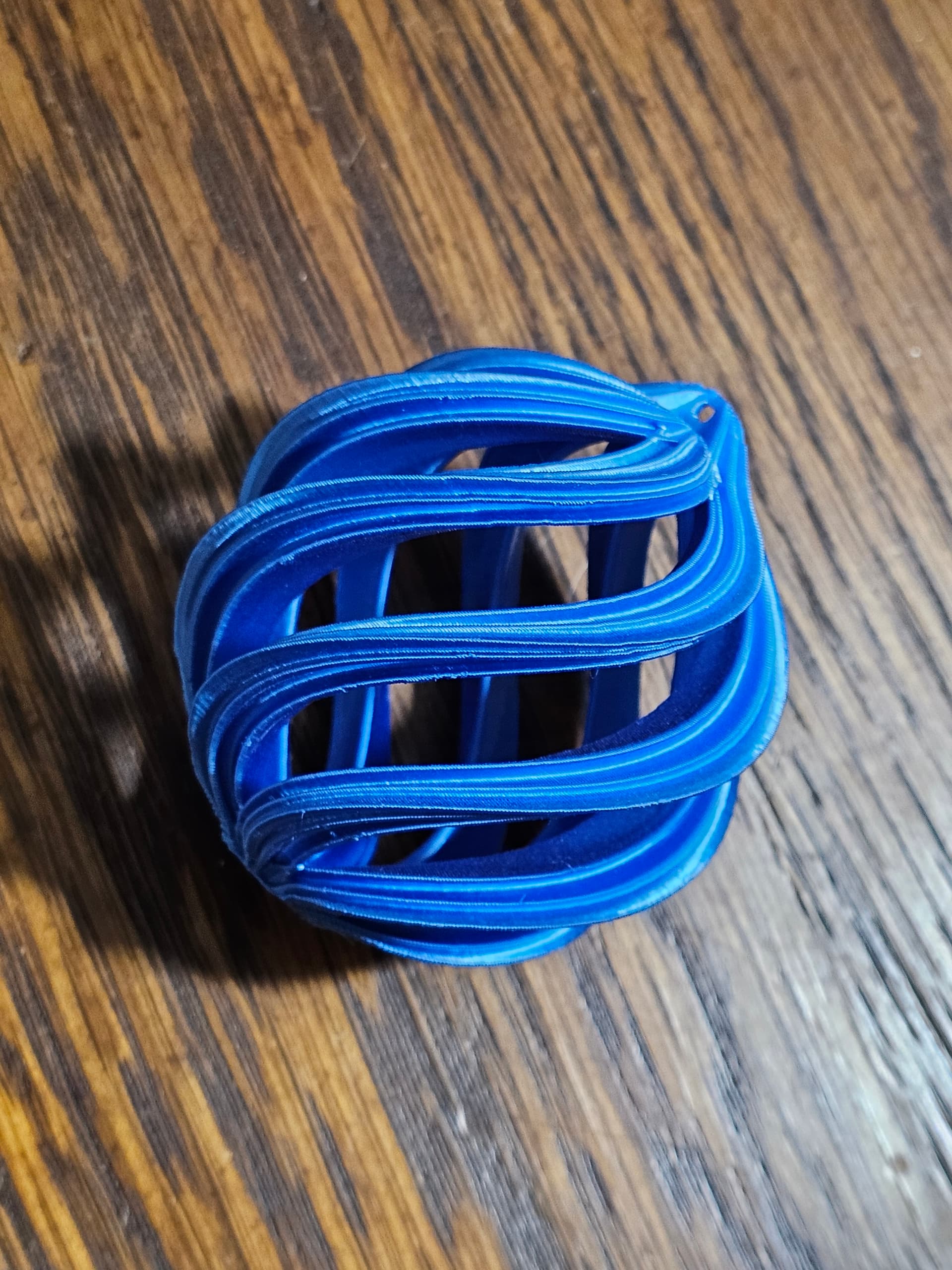
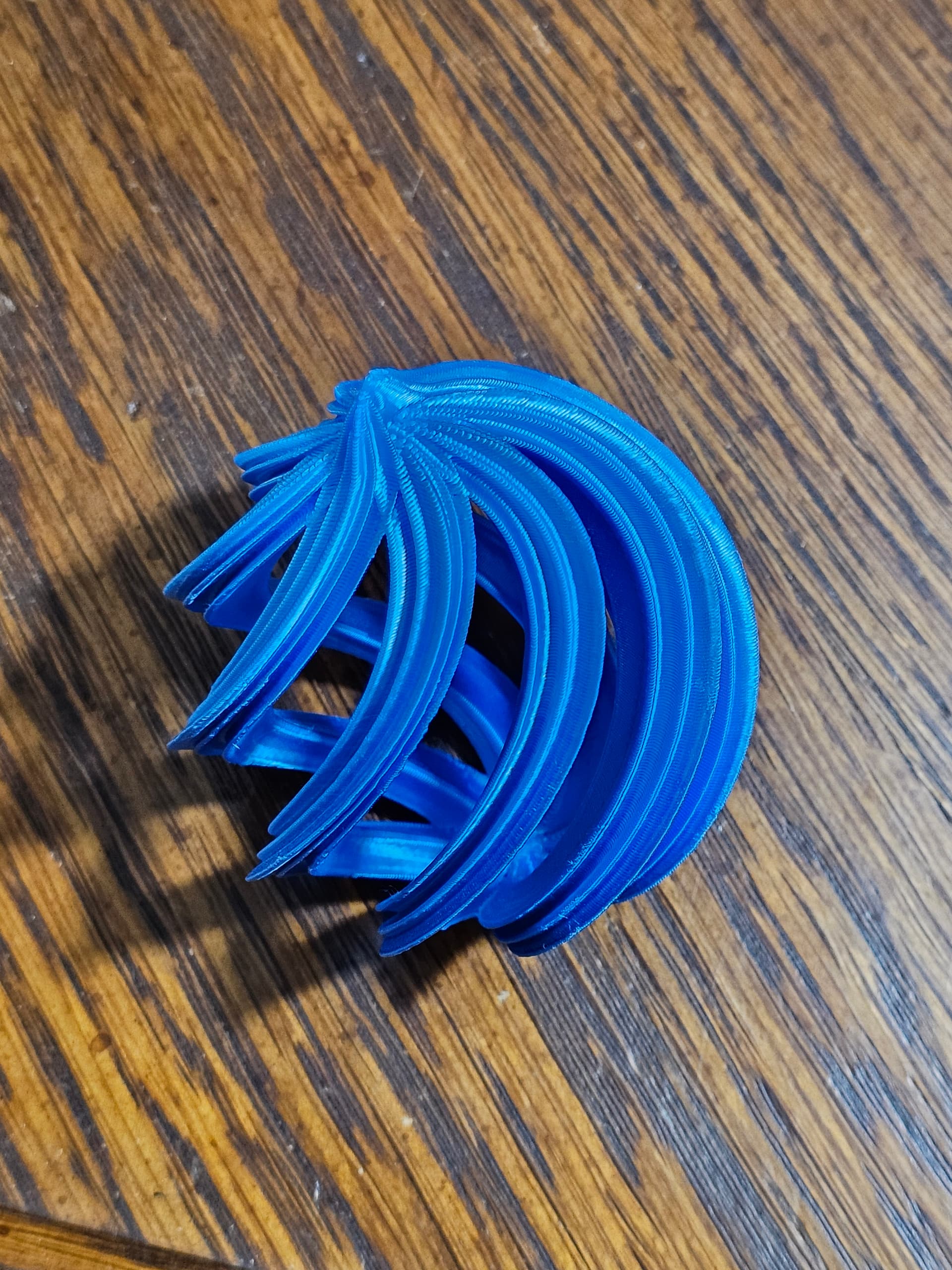
These are pictures of a Christmas ornament I have tried printing several times, and they all come out like this or worse. Compare them with the blue ornament below, it’s a different style of one but the layers and lines on it are much smoother.
Right now I think the cause of the issue is most likely the hot end or maybe the sensor controlling the hot end temp. During a print, whatever temp I set the bed and hot end to, the bed will go to that temp and stay there without changing, but the hot end temp will fluctuate +/- 5 deg or so from the number I have it set at. I don’t know if the hot end is fluctuating between those temps or if the sensor is faulty.
I recently tightened the various wheels and belts on the printer, but that didn’t help get any cleaner layer lines. I don’t think that was the issue.
If anybody has had an issue like this with their printer and has some suggestions, I’m all ears.
But on a more serious note, every Creality printer I’ve had the “pleasure” of dealing with has been a headache. Here are the thoughts from the top of my head:
A 5 degree fluctuation during print is definitely a bit high, did you do a PID tune after changing the hotend?
There could be an issue with the Z-axis causing fluctuations in layer height. Make sure the motor coupling is tight if it has one, as well as the threaded bushing that runs along the screw. It should spin easily by hand without jamming and catching.
Check that the ends of the bowden tube are in good shape and firmly held by the connectors. If you disconnect both ends and run filament through it should slide easily.
Check the extruder; the brass drive gears they come with tend to wear out and start slipping. Though that tends to cause under-extrusion and gaps rather than bulges.
I checked the bowden tube, it’s fine, and the extruder gears are also fine.
I have not done a PID tune for the hotend, I don’t know how.
I am not sure about the motor coupling, I think it is tight, I don’t notice any catching/jamming.
There may be a menu option for PID tuning, but that’s not super likely if you are using the stock firmware. You can probably do it by sending the appropriate G-codes over the USB port. Creality uses a mangled modified version of Marlin, so this should work: PID Tuning - RepRap
Something like Pronterface can be used to connect to the printer and send G-codes.
Wow, did not realize it had been so long since I looked at this thread.
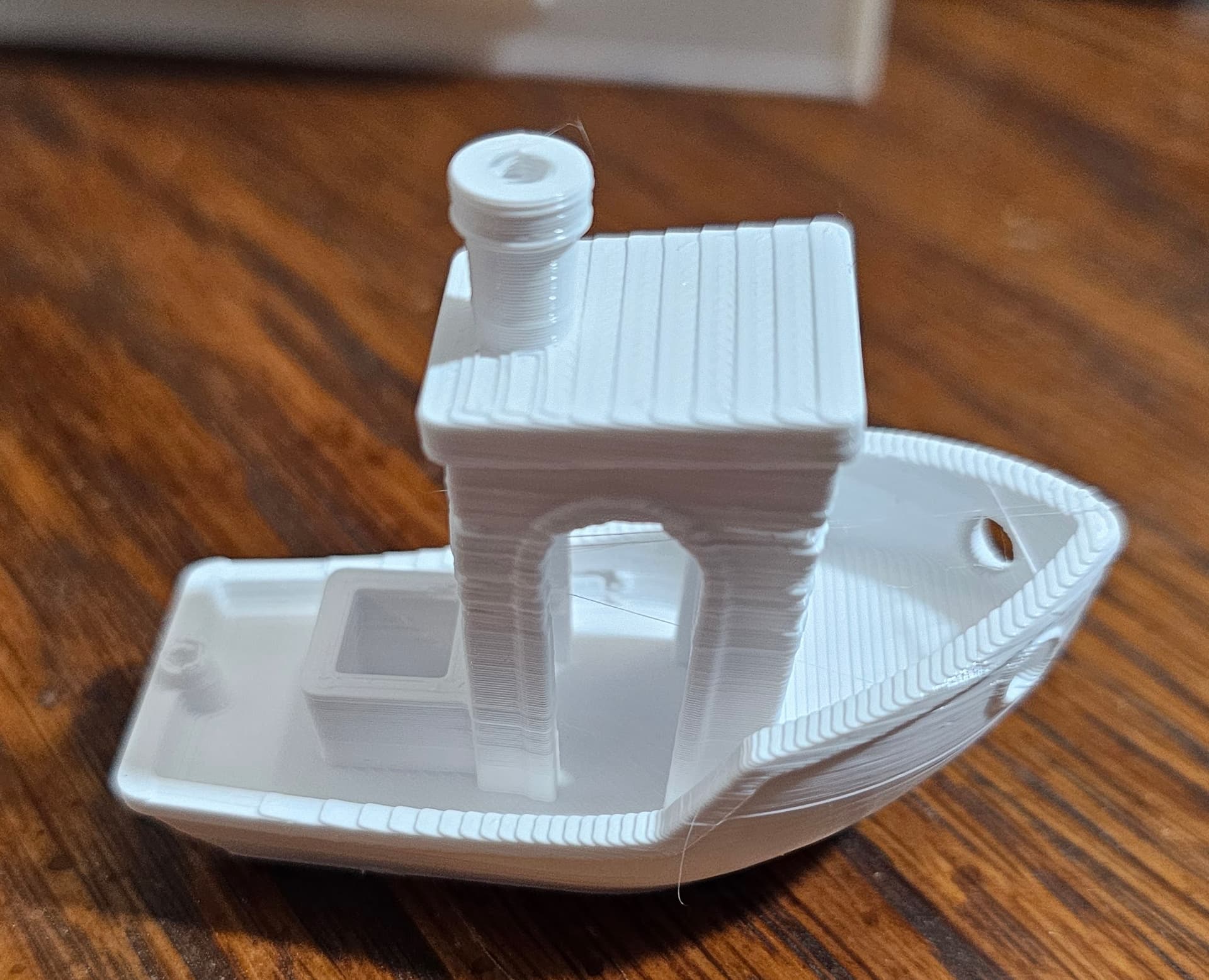
I was able to PID tune my printer - it did have a menu option, under the advanced config settings there was an option for Auto PID for the extruder. Thanks for the suggestion, it definitely seems to have helped:
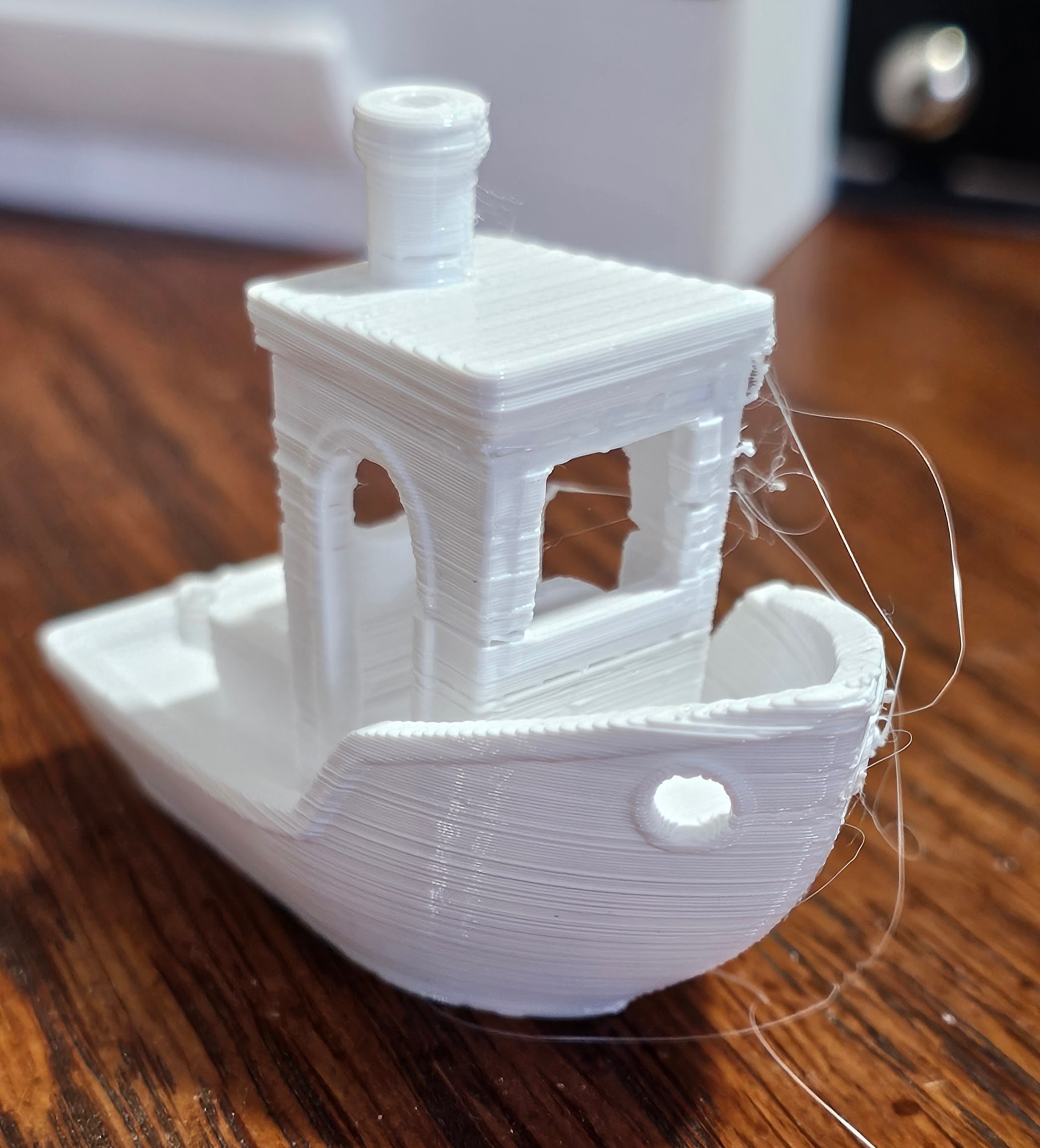
This benchy came out better than the last one I printed, but as you can see there are still parts where the lines are uneven.
Any suggestions for what else could be causing issues?